The PDF
Part 1 is for you: what you’ll make, what you need, the setup, the one sentence you say to Claude Code, and what to do when something goes wrong. Part 2 is for Claude Code: the manual it reads and follows.
AI Animation Mastery is one PDF you hand to Claude Code. It asks about your niche, sets up a studio on your computer (Windows, Mac or Linux), and makes reels like this one with you.
One payment. A PDF and a starter studio. VAT included.
Two downloads. You get both the moment you pay.
Part 1 is for you: what you’ll make, what you need, the setup, the one sentence you say to Claude Code, and what to do when something goes wrong. Part 2 is for Claude Code: the manual it reads and follows.
The tools, skills and templates Claude Code works with. The script checker, the first-listen test, a free AI voice that runs on your computer, captions, the animation kit and the quality checks.
You talk, Claude Code does the work. It runs the commands and installs what’s missing inside your studio folder, after asking you.
Get the PDF and the starter studio. Unzip the studio and put the my-studio folder in your home folder, the one with your name.
Open my-studio in Claude Code (the Claude app’s Code tab, or VS Code on Linux) and give it the PDF.
Claude Code asks about your niche, your audience and your style. Then it sets everything up and makes your first reel with you.
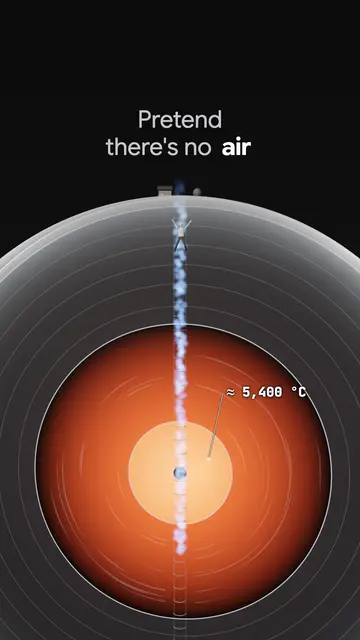
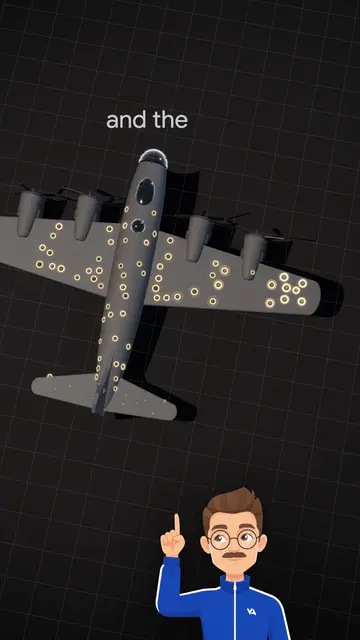
Reels like these: one idea, told plainly, animated in code. These are ours, in our clay-3D look. Yours get your own.
You jump into a hole through the Earth
The bullet holes that showed where not to add armour
Why a honeybee dies when it stings you
The man whose memory lasted seconds
How the gas pump knows your tank is full
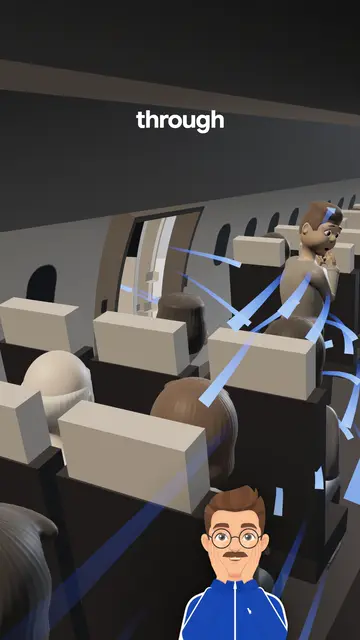
The passenger who opened the plane door
More of them on the reels page and on Instagram.
A computer, internet and a paid Claude plan with Claude Code. Nothing else to buy or sign up for.
Windows 10 or 11, 64-bit (on an ARM laptop, Windows 11 only), macOS 15 Sequoia or newer (Apple Silicon or Intel), or Linux (Ubuntu 22.04 or newer, or Debian 12 or newer), with a normal graphics chip, as almost every laptop and desktop has. Without one, 3D looks render very slowly, and the studio suggests a 2D look. Not a phone or a tablet.
Pro is $20 a month ($17 billed yearly) and enough to start. For a reel every day, Max at $100 a month is the comfortable choice. The free plan doesn’t include Claude Code. Prices change; see claude.com/pricing.
About 6 GB of free disk space (the studio uses about 4 GB, plus about 1 GB of caches). Setup takes 10 to 30 minutes, mostly downloads; longer on Windows or a slow connection. Everything installs inside the studio folder, without admin rights. On Linux, if two system libraries are missing, setup shows one line to paste once, with your password.
The studio’s own voice is free and runs on your computer: no account, no key. If you want Google’s voice (or its image tool) instead, you need your own Google Cloud account with a payment card: a little per reel, billed by Google. You set a monthly budget.
A reel is about 2 hours of Claude Code’s work, mostly unattended (longer on a slower computer). Your part is answering questions and approving. When it’s done, Claude Code opens a folder with the video and its caption. Prices change; see claude.com/pricing.
AI Animation Mastery
$27
One payment. VAT included.
Get it for $27Both download links show right after you pay, and arrive by email. You also need a computer (Windows, Mac or Linux) and a paid Claude plan with Claude Code.
No. You talk to Claude Code in plain English. It writes the code, runs the commands and installs what’s missing. It asks before it installs anything. Everything installs inside your studio folder, without admin rights, and you never type a command. One exception, on Linux: if two system libraries are missing, you paste one line once, with your password. Most desktops already have them. The PDF shows exactly what you’ll see.
Two downloads: the PDF and the starter studio (a zip), for $27 once. Part 1 of the PDF is for you. Part 2 is for Claude Code: it reads it and follows it. There are no video lessons and no members area.
A Claude plan with Claude Code: Pro is $20 a month ($17 billed yearly) and enough to start. For a reel every day, Max at $100 a month is the comfortable choice. The voice is free and runs on your computer. A Remotion licence only if you’re a company with more than 3 people. Nothing else. Google’s voice is optional, with your own Google account: a little per reel, billed by Google. Prices change; see claude.com/pricing.
A reel is about 2 hours of Claude Code’s work, mostly unattended (longer on a slower computer). Your part is answering questions and approving. When it’s done, Claude Code opens a folder with the video and its caption. Keep your computer plugged in and awake while it works.
Only if you pick our clay-3D look from the style menu. By default, Claude Code designs your own look with you: your characters, colours, captions and sound. You don’t get our presenter.
Yes. It runs on Windows 10 or 11, 64-bit (on an ARM laptop, Windows 11 only), macOS 15 Sequoia or newer (Apple Silicon or Intel), or Linux (Ubuntu 22.04 or newer, or Debian 12 or newer). Claude Code installs everything inside the studio folder. It doesn’t run on a phone or a tablet.
Nobody can promise views or income, and we don’t. It takes the production work off your plate, so your time goes into topics and judgement.
You have the rights the law gives you. Your download links come right away, so at checkout you ask for them and your 14-day right of withdrawal ends when they’re sent. If a file doesn’t work as described, for example the studio doesn’t run on a computer that meets the requirements, we fix it or refund you. Refunds and right of withdrawal
Enter the email you bought with on the download page, and we send them again.
Another question? Email info@valueanimate.com.
Your niche, your look, your voice. One PDF to start.
Not ready to buy? Write your first reel script tonight with the same rules I use. Free, by email.